Never reconstruct a week
Keep start times, finish times, breaks, and rates together instead of searching through messages or memory.
Shift tracker for hourly workers
Built for nurses, tradespeople, hospitality workers, delivery drivers, and anyone working shifts. Keep a clear record of hours, breaks, overtime, and earnings—so you can catch payroll mistakes before payday.
3h 41m worked · clocked in 09:00
$47.84
Try it before you download
Test your rate, break, and overtime threshold here. WageFlow keeps the calculation attached to the shift so you can check the whole pay period later.
Open the full calculatorLive shift simulator
Estimated gross pay
$135.00
7.5 paid hours after a 30-minute break
Regular
7.5h · $135.00
Overtime
0h · $0.00
Estimate only. Overtime and break rules vary by job and location. WageFlow uses the rates and rules you enter; it does not replace payroll, tax, or legal advice.
Payday clarity
WageFlow turns a messy week of shifts into a clear view of your hours and estimated earnings - so you can check your numbers before payday.
Keep start times, finish times, breaks, and rates together instead of searching through messages or memory.
Set the threshold that applies to your work and see where your base rate becomes overtime.
Keep a private record on your phone and export a clean PDF or CSV when you need to check a paycheck.
Your employer has a record of your hours. You should have one too.
See the three-step workflowSee it in action
01
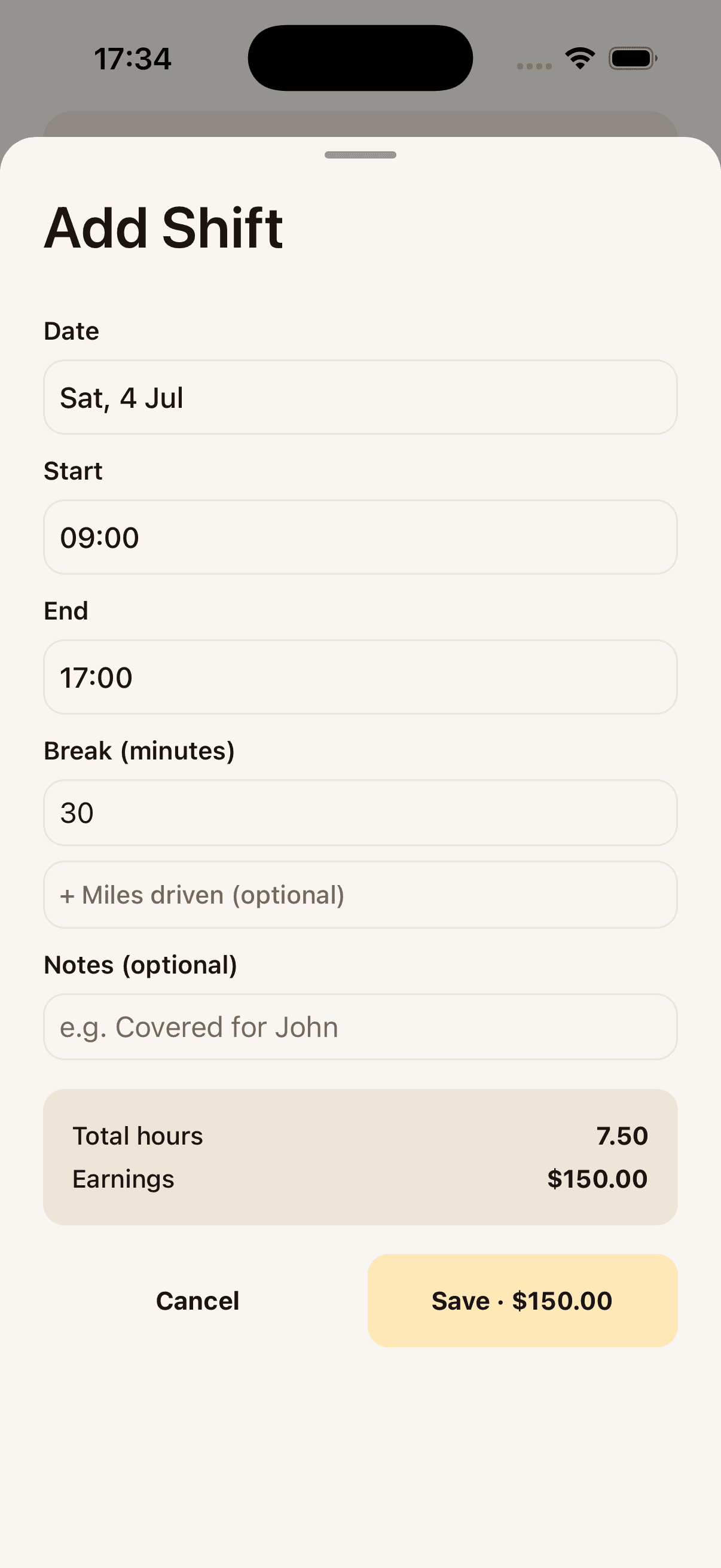
Start time, end time, break. WageFlow works out the hours and the pay before you tap save.
02
Every shift lands on your dashboard instantly, so you always know where you stand this month.
03
One tap turns a month of shifts into a PDF or CSV - proof of income, ready to send.
Start time, end time, break. WageFlow works out the hours and the pay before you tap save.
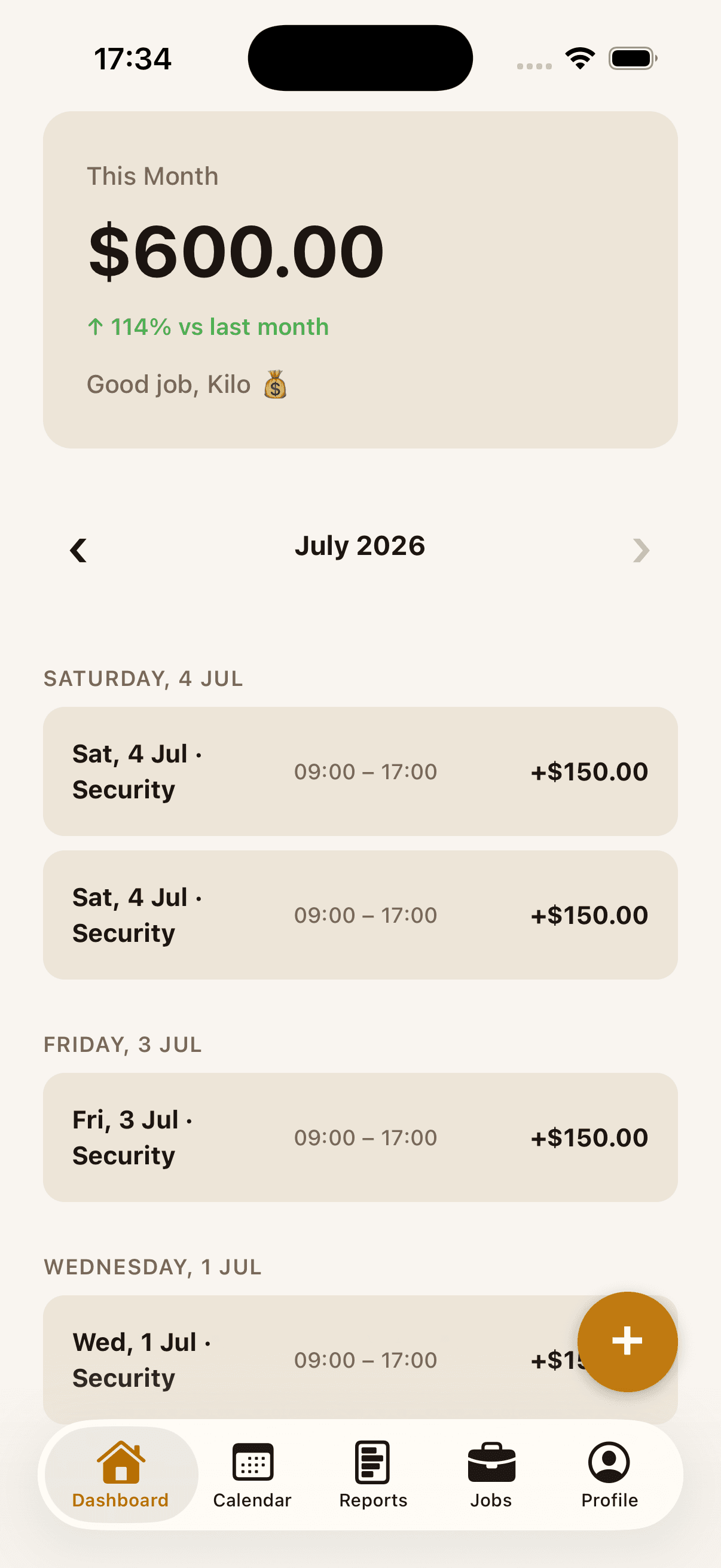
Every shift lands on your dashboard instantly, so you always know where you stand this month.
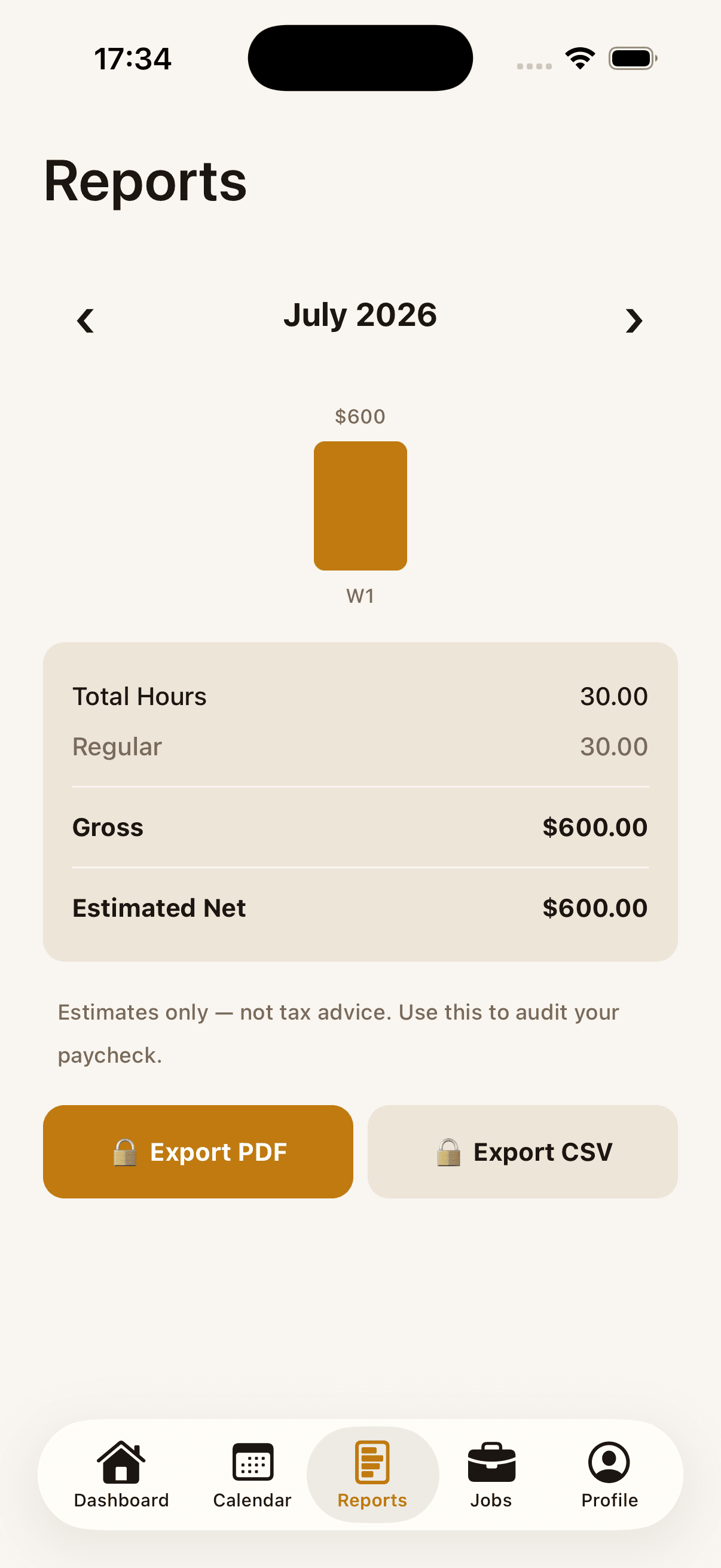
One tap turns a month of shifts into a PDF or CSV - proof of income, ready to send.
Ready to keep your shifts, hours, and pay in one place?
Download free on the App StoreHow it works
Log the shift
Open the app, enter when you started and when you finished, add your break, and save the shift.
See the pay
Your total updates instantly, with base hours and overtime shown separately so the calculation is easy to follow.
Export the record
Export a PDF or CSV when you need a personal record for a paycheck check, tax preparation, or proof of income.
Inside the app
Shift calendar
Log any shift in seconds - start time, end time, done. View your month and see every day at a glance, with earnings shown per day.
Live earnings
Your running total updates as you enter shifts. Overtime kicks in automatically at the threshold you set - no manual calculation.
Overtime rules
Set your region's overtime threshold once. WageFlow applies the uplift automatically and shows you exactly where the rate changes.
Export payslips
Generate a PDF payslip or CSV timesheet in one tap. Send it to yourself, your employer, or your accountant - no login required.
Wall of Love
These are real reviews from WageFlow customers who rated the app on the App Store.
Best shift tracker out there.
"WageFlow is exactly what I was looking for. It’s super simple, clean, and does exactly what it says without bombarding you with ads. The best part is that you don't even have to create an account or hand over your email to use it... Perfect for making sure my paychecks are accurate every week."
— Edwardwingo
Accurate and simple!
"Great app for keeping track of hourly pay. It takes the guesswork out of payday and handles overtime and breaks perfectly. Love that it works offline too. 5/5!"
— Jessica.M909
Excellent
"Very useful application that helps me to calculate my wage and give the report to my boss very easily and its easy to track my wage with the reports i highly recommend this application"
— Adams Lother
Julia J
"Great app, I highly recommend it, helps a lot with tracking my shifts"
— Ossama Haddioui
Coolest app!
"Great and useful idea."
— sumatoken
Start tracking your next shift for free.
Download free on the App StoreWageFlow Pro
Track shifts, see earnings, and review overtime free. Pro adds the tools that make your records easier to keep and share.
7-day free trial on the yearly plan
Questions
Who made this
I built WageFlow for myself first. Freelance projects and changing hourly rates made it too easy to lose track of what my time was really worth. I wanted one calm, private place to record the work, do the math, and check the total before getting paid. Once it helped me, I opened it up so other hourly and freelance workers could have the same experience. If there is a calculation, workflow, or feature that would make it more useful for you, I want to hear about it.
— Abdel Rany · dev@abdelrany.com
Stop guessing what payday should look like. Download WageFlow free.
Download free on the App Store